Files, brought together
Add URLs, organise downloads into categories and keep finished files easy to find.
BINARY DOWNLOADER / GETTING THINGS READY
Loading product information and downloadsMeet Binary Downloader. Bring files, videos and torrents into one desktop workspace, with the controls to pause, organise and schedule what comes next.
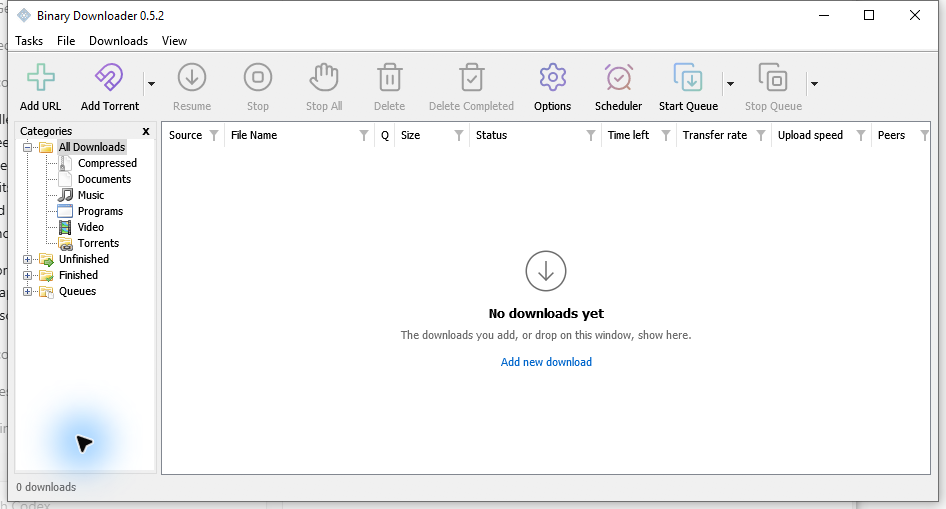
Start with a link. Keep the rest organised.
Built for the downloads you actually need.
Add URLs, organise downloads into categories and keep finished files easy to find.
Resume interrupted transfers when the source server supports resuming. Set speed limits to leave bandwidth for other work.
Group downloads into queues and use the scheduler to run them when it suits you.
Download supported online video. Formats depend on the source; some workflows need additional components.
Add magnet links or torrent files, manage transfers and keep torrent downloads alongside your other files.
Use the companion extension to hand supported browser downloads to Binary Downloader. Install the desktop app first.
We suggest a platform from your browser.
You can always choose another.
Compare the file’s SHA-256 with the checksum shown beside it. This confirms file integrity, not publisher identity or code signing.
Get-FileHash .\BinaryDownloader-0.5.3-setup.exe -Algorithm SHA256shasum -a 256 BinaryDownloader-0.5.3-macos-arm64.dmgsha256sum BinaryDownloader-0.5.3-linux-x86_64.AppImageThe companion extension connects your browser to the installed app. These are Binary Downloader packages, with their own extension identity.
For Chrome, Edge, Brave, Opera and Vivaldi. Install the desktop app with browser integration enabled.
Download extension ZIP ↓c3d9e15c3164f8207e9f640f45376f591b36eac3a064c5de4a5c02693887d25cchrome://extensions or edge://extensions.The bundled add-on is unsigned. It is provided for temporary testing, not permanent installation in standard Firefox.
Download Firefox XPI ↓62b9fdb7076fece4c8def29644f691b445d808cec590f808d38ffaf388f35559about:debugging.Safari integration files are at version 0.5.3, but this release does not include a packaged, installable Safari extension. Use the desktop app directly.
The Chromium extension requests access to downloads, browser cookies, all websites, native messaging, web requests, scripting and proxy functionality, among other permissions. Review the manifest before enabling it. Install only the browsers and extensions you intend to use.
Use the Windows installer for browser integration, or choose a portable copy. Linux packages and experimental Mac builds are also available.
Open the app and configure the companion extension if you want browser hand-off. Portable Windows builds do not set up browser integration.
Select Add URL, paste a download link and choose where to save it. Use queues and scheduling as your download list grows.
Yes. This release is free to use. There is no paid tier for this product.
This release provides Windows x64 and Linux x86-64 packages, plus experimental macOS Apple Silicon and Intel builds. Mobile devices and other architectures do not have installers in this release.
Upstream automatic updates are disabled in this Binary Solutions build. Check for future versions here; this page does not promise an automatic update service.
The project describes this local build as unsigned unless a signing certificate was configured. A SHA-256 digest does not replace a trusted publisher signature. macOS builds are experimental.
No. Video availability depends on the site and supported extraction tools. Resume requires support from the file server. Download only content you have permission to save.
Let’s turn your ambition into impact.